Unknown source 설치하는 법

Unknown source 설치하는 법

Unknown source 설치하는 법

01 Jan 1970


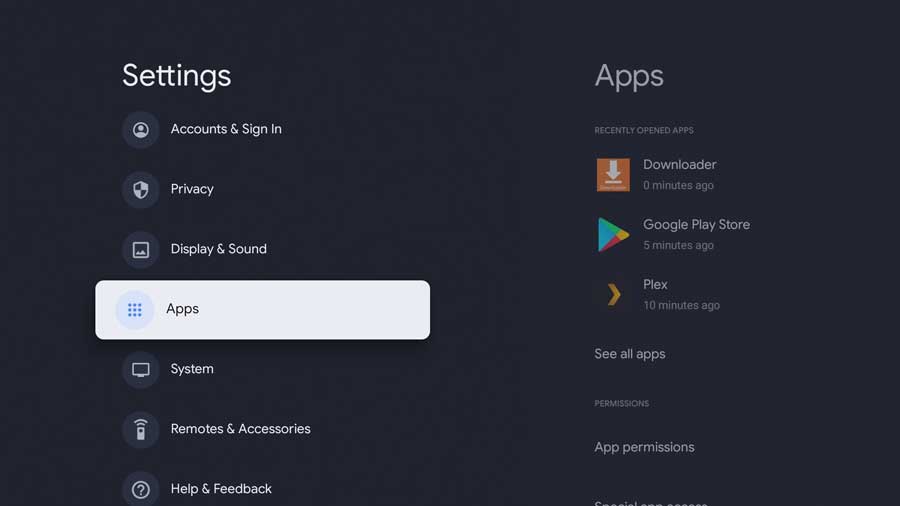
Settings Menu. Apps tab highlightd


세팅메뉴에서 Security & Restrictions 로 가셔서 
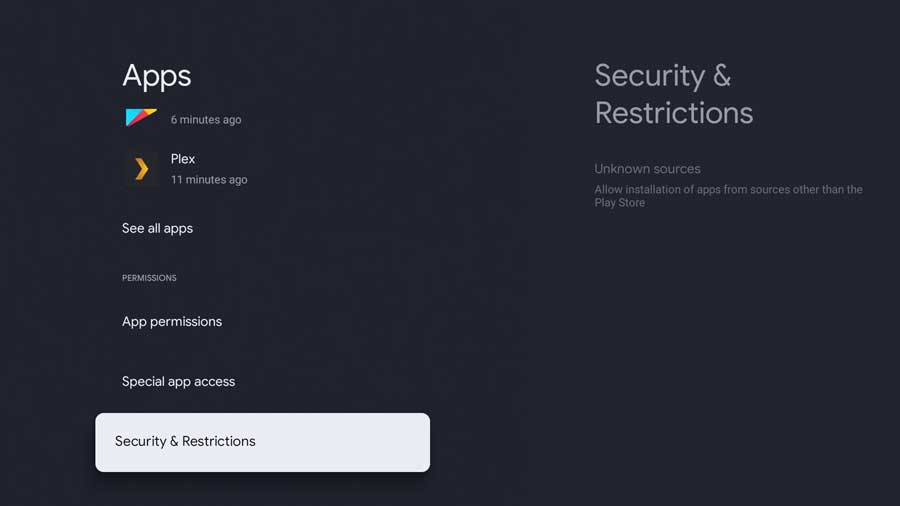
Apps menu. Security & Restrictions highlighted

downloader 어플을 enable 해주시면 되는데, developer access 가 필요한 경우가 있습니다. 그럴경우에는 
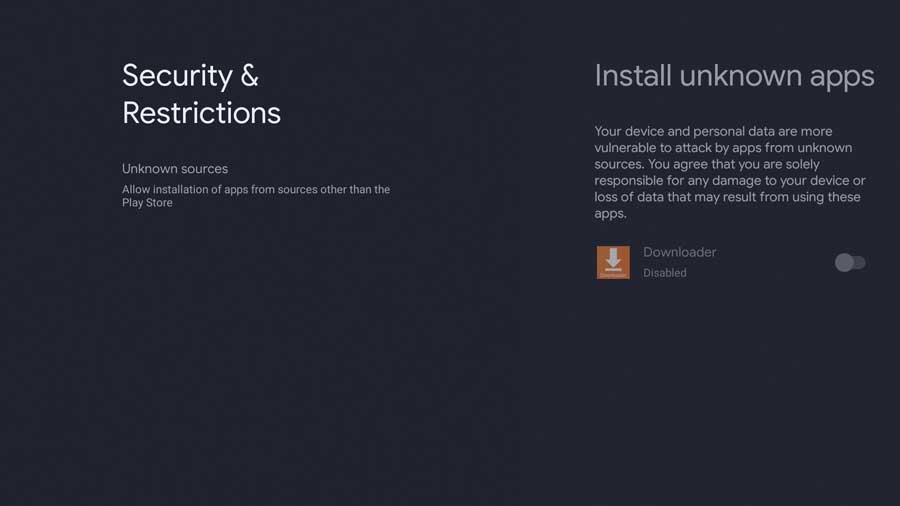


Security & Restrictions menu


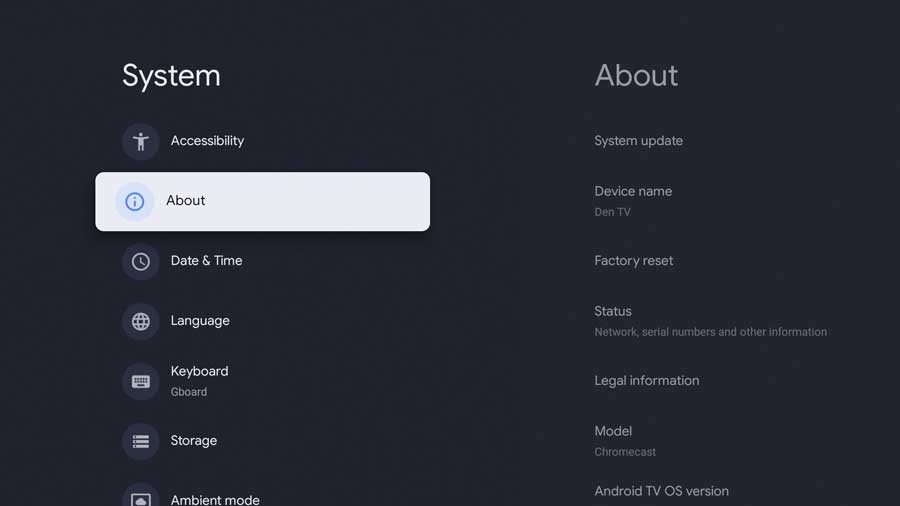
System Menu: About highlighted


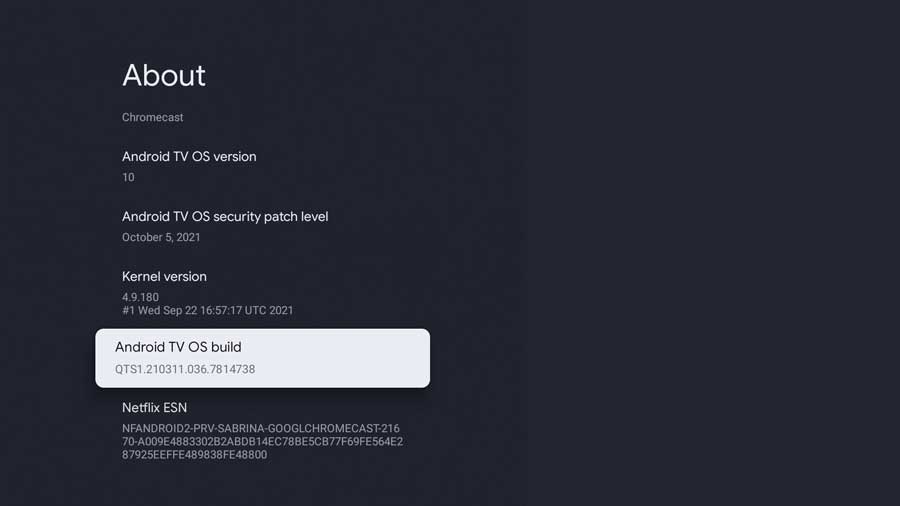
About Menu: Android TV OS Build highlighted


setting메뉴에서 about으로 들어오셔서 Android TV OS build 부분을 7번 연속으로 클릭해줍니다. 

그려면 Developer access가 주어지고 unknown source 를 enable 하실 수 있게 됩니다. 


자세한 사항은 아래 링크를 참고하셔도 좋습니다. 


https://androidtvnews.com/unknown-sources-chromecast-google-tv/


Related Blog
video image

By Jason Yu / In TV설치 관련

just now / 0

세팅메뉴에서 Security & Restrictions 로 가셔서  downloader 어플을 enable 해주시면 되는데, developer a…

Read More
video image

By Jason Yu / In TV설치 관련

just now / 0

저희 Kortv 어플과 호환이 가장 좋은 셋톱박스는 MECOOL Android 10.0 TV box샤오미 미박스 (정식 넷플릭스 4K지원) , 구글크롬캐스트4K (리모콘있고 어플설…

Read More